Learn Vocabulary While Watching YouTube
How It Works
Transform YouTube videos into personalized vocabulary lessons in minutes. Here's your complete guide to mastering vocabulary effortlessly.
Get Started in Under 5 Minutes
Install the extension, activate captions, and start learning instantly

Activate Captions
Click the red button at the top-left of YouTube player or use Alt + S shortcut to enable Vocaminary subtitles.

Click Any Word
Click on any word to get AI-powered definitions tailored to your language level and the sentence context.

Context-Aware Translation
Get translations that match the exact meaning in context. Translation is initially hidden to encourage guessing from the definition first.
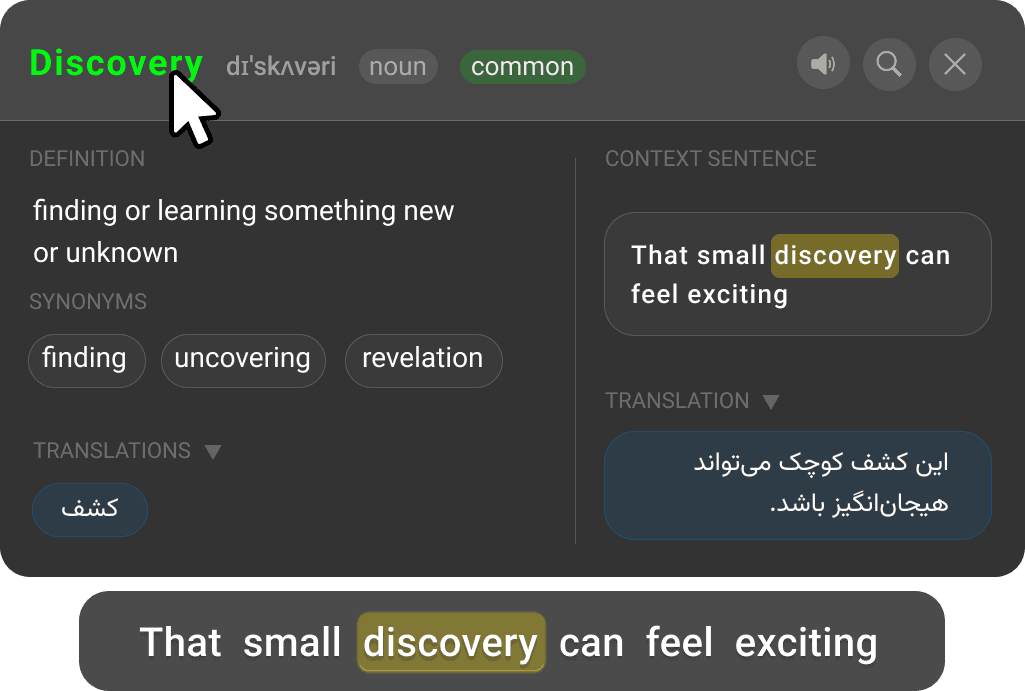
Save to Your Collection
Click on the word at the top of the definition card to save it to your personal vocabulary collection for later review.
Auto-Highlight Saved Words
Words in your collection are automatically highlighted in all future captions, helping you recognize and reinforce them.
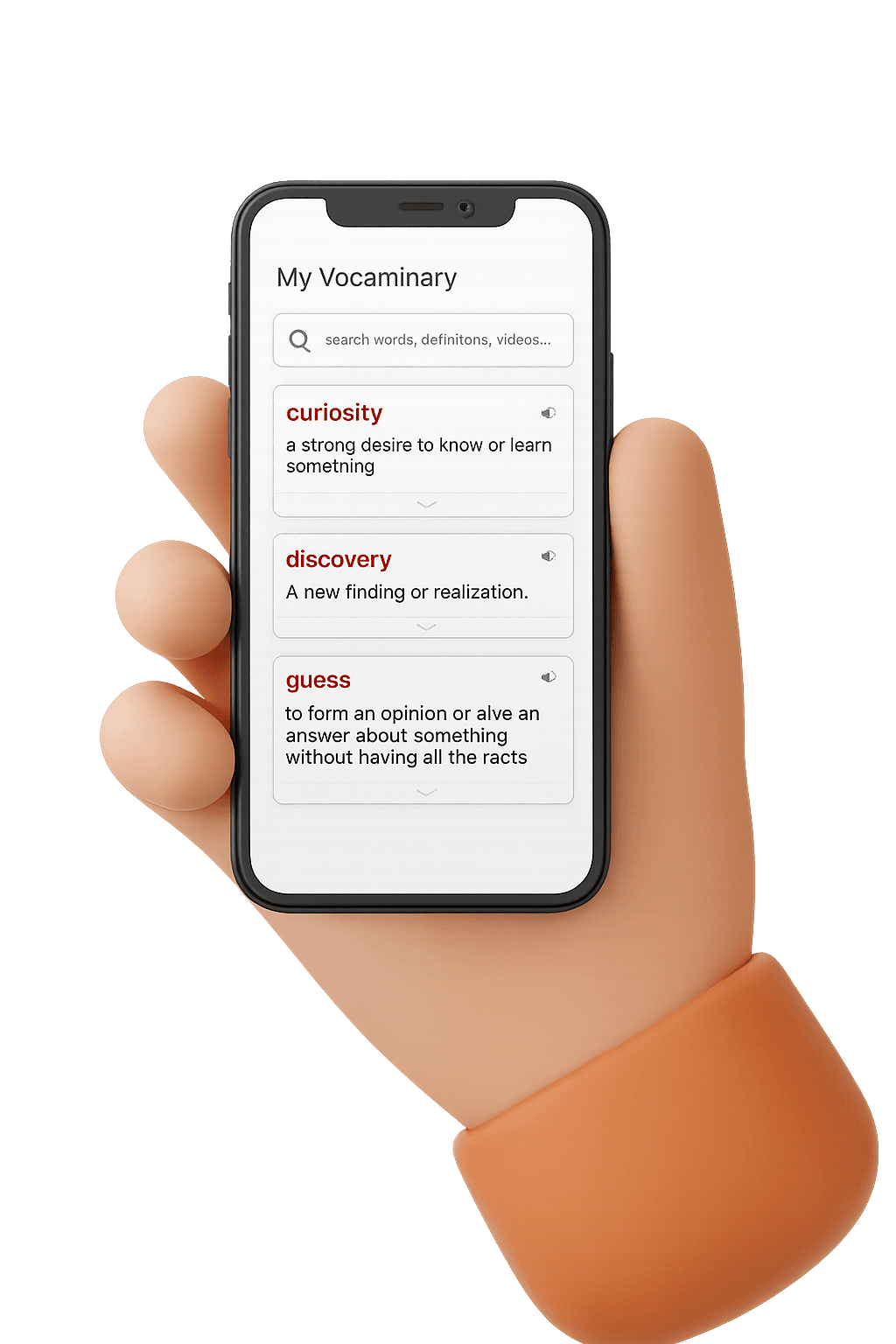
Review Anywhere
Access your vocabulary collection at app.vocaminary.com from any device - mobile, tablet, laptop, or even smart TV.
Open web app🎁 Early Adopter Rewards
Limited offer for the first 50 users
Be among the first 50 users: Get 1 month of premium subscription free!
Complete the mission: Unlock unlimited premium access forever!
Mission Requirements:
- ✓ Save 20 words to your collection
- ✓ Watch 5 videos with Vocaminary captions
- ✓ Complete within your first month
Ready to transform your YouTube experience into a powerful learning tool?
Install Vocaminary NowWhat Makes Vocaminary Different
Powerful features designed to make vocabulary learning effortless
All-in-One Tooltip
Get definitions, synonyms, pronunciation, Google search, word translation, and sentence translation—all without leaving the page.
Context-Aware Definitions
Word meanings based on sentence context, with definitions tailored to your language level for better understanding.
Smart Highlighting
Saved words are automatically highlighted across all subtitles, making it easy to spot and review vocabulary you're learning.
Cloud Sync
Instantly sync your saved words with the web app. Access your vocabulary from mobile, tablet, or laptop seamlessly.
Recent Subtitles History
Quick access to previously viewed captions, making it easy to review and revisit content you've watched.
Smooth User Experience
Fast, intuitive interface designed for seamless learning without interrupting your viewing experience.
Privacy & Flexibility
Use your own OpenAI API key for complete control and privacy. Your data, your choice.
Multi-Language Support
Currently supports English captions with more languages coming soon. Perfect for language learners worldwide.
Open Source
Community-driven development with regular updates and new features. Contribute and help shape the future of Vocaminary.
Simple, Transparent Pricing
Start free and unlock more features as you learn
Free Tier
Perfect for casual learners
- 10 new subtitle fetches/day
- Previously cached subtitles: unlimited & free
- 50 AI analyses/month
- Unlimited word saves
- Personal API key support
- Web app sync
Early Adopter
For those who join us early
- 100 AI analyses (first month)
- 10 new subtitle fetches/day
- Previously cached subtitles: unlimited
- Unlimited word saves
- Personal API key support
- Web app sync
- Priority support
Active Early Adopter
5+ days usage + 20+ words saved
- 200 AI analyses/month
- 20 new subtitle fetches/day
- Previously cached subtitles: unlimited
- Unlimited word saves
- Personal API key support
- Web app sync
- Priority support
- Exclusive features early access
All plans include access to the web app and cloud sync. Learn more about pricing
Start Learning Vocabulary Today
Join thousands of language learners transforming YouTube into their personal vocabulary classroom. Install Vocaminary now and make every video a learning opportunity.
Free to start • No credit card required • 5-minute setup